

One of the challenges with splitting your VGA signal is the ability to maintain the video quality and aspect ratio of the original video source. There are a number of ways to split your VGA signal and the main purpose of doing so it to display the same video content across to multiple screens. This basically means a cost savings as you will only need to purchase 1 PC/digital signage player rather than having multiple players for each screen. The only limitation is distance, the VGA video quality degrades for longer distances.
Here, we will look at 3 ways of splitting up the VGA signal (assuming you just want to split 1 video signal to 2 screens):
|
2 way VGA Cable
|
When we used this we noticed that the quality was pretty poor. Especially when adding a second VGA cable you immediately notice a difference. No power is required hence the reason why the degradation. |
|
2 Port VGA Splitter
|
Required power to be connected to it. For the video input it requires a VGA extension cable that has a male on one end and a female on the other. Better than the 2 way VGA cable but noticed fuzzy lines running through the screen and some ghosting. |
|
Video Card with dual output (for PC’s)
|
You will need to find a video card that supports two VGA outputs. The Radeon x300 video card is one that we’ve tried and tested. Video quality was perfect or as good as the video card can output. The advantage of using this video card was that you didn’t need an additional power point and you are also able to change the video configuration to clone or extended. |

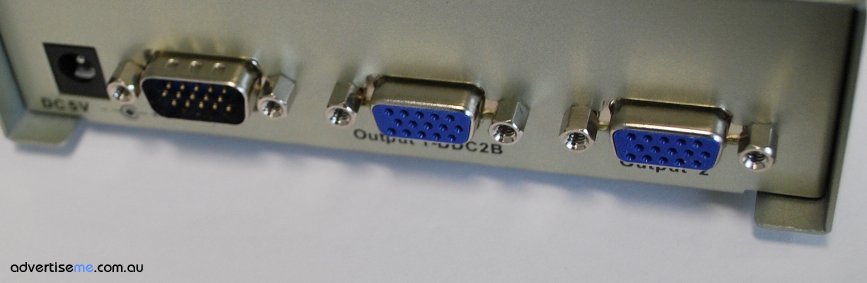
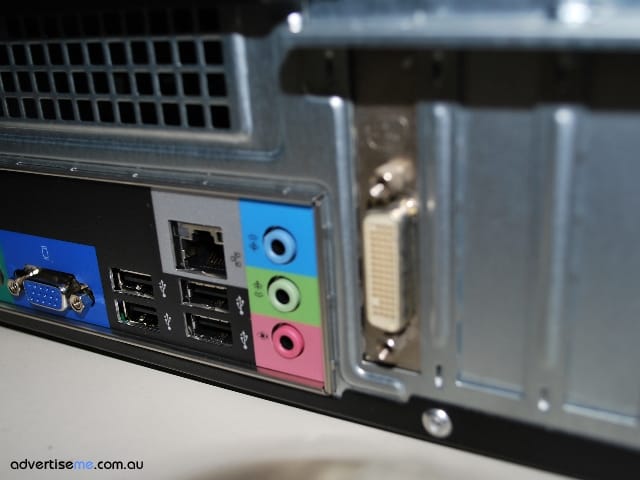
For implementations of more than 2 screens then you will need to get a splitter that caters for more video output ports, there are many brands and model in the market but just make sure you test it before installing it at your clients sites.
Are there any other methods people have used to split the VGA signal?


© AdvertiseMe.com.au for Digital Signage Blog, 2010. |
Permalink |
No comment |
Post tags: 3 Ways, Additional Power, Aspect Ratio, Challenges, digital signage player, Distances, Dual Output, Extension Cable, Fuzzy Lines, Implementations, Output Ports, Port Vga, Radeon X300, Signal One, Vga Cable, Vga Signal, Video Card, Video Configuration, Video Content, video input, Video Output, Video Quality, Video Screens, Video Signal, Video Source
Article Source: http://www.digitalsignageblog.com/2010/10/18/techie-question-what-is-the-best-way-to-split-your-vga-signal/
Visit the Digital Signage Blog
About our Sponsor:

Advertise Me is a privately owned Australian company specialising in all aspects of digital signage solutions.
Our team of highly skilled professionals is able to introduce innovative ways for businesses to communicate with their intended audiences for a variety of purposes including informing, educating, entertaining and selling.
You can expect us to:
- offer the most affordable and cost effective solutions tailored to your specific business needs.
- provide you with concise and accurate information and will ensure that you understand and are comfortable with our proposals.
- strive to make our clients happy and successful.
We have partnered with a number of key reputable organisations and will continue to build further partnerships to deliver the most effective solutions for our customers.


Digital Signage Blog – our thoughts, interesting news and articles, interviews and case studies in the digital signage industry